Proxmox – ZFS over iSCSI
Present clustered Zvols to Proxmox as ZFS over iSCSI. The portal lives on the service VIP, so VMs follow the pool when it moves.
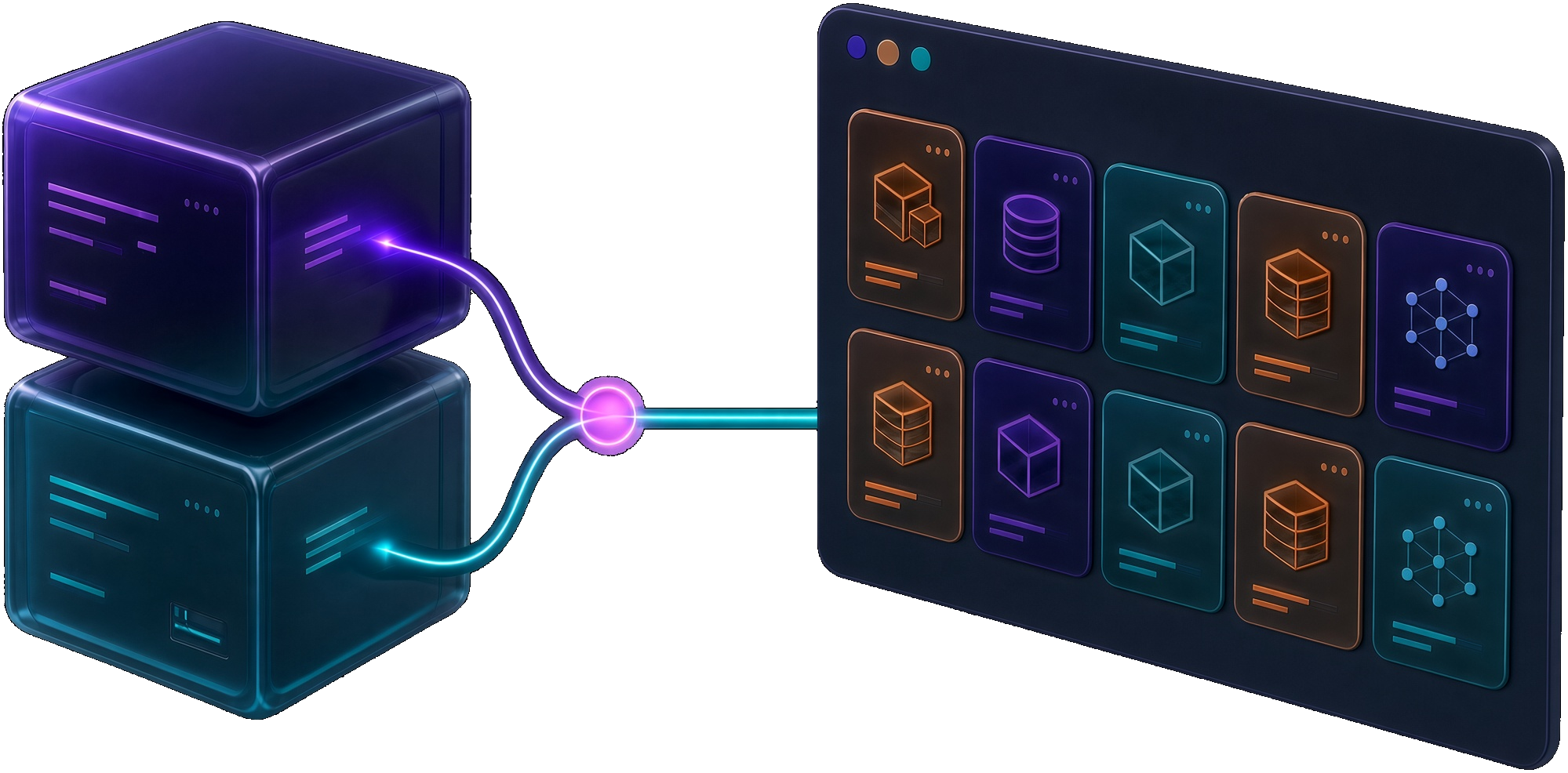
Each ZFS pool is a clustered service with its own VIP(s), on any interfaces you choose. Fail over automatically or move services by hand. Dual-ported shared arrays or shared-nothing with zfs send/receive over multiple fabrics.
Active-active HA with disk reservations, disk and network heartbeats, and multiple pools on any node. Proxmox and TrueNAS SCALE integration, NFS, SMB and iSCSI (target and initiator). Pools, datasets, users, groups, NTP, networking and power – one appliance.
No storage limits, no capacity tiers, and no scaling penalties.
No hardware restrictions or vendor lock-in. Run symmetric or asymmetric configurations on the servers you choose.
Exceptionally low total cost of ownership. Full Active/Active HA without proprietary appliances or capacity-based licensing.
RSF-1 · WHY IT EXISTS
Active/Active ZFS services, shared or shared-nothing, fenced pools, run from GUI, CLI, or API.
01 · Active/Active
Each pool is a clustered service with its own VIP — or several. Fail over automatically, or move a service by hand for maintenance.
Services on every node
Any combination
Automatic failover
Zero downtime
Preferred node
Per service
Multiple VIPs per service
Multiple interfaces
Manual move for maintenance
Zero downtime
Full hardware utilisation
Active on all nodes
Independent pool placement
Any mix
02 – Topology
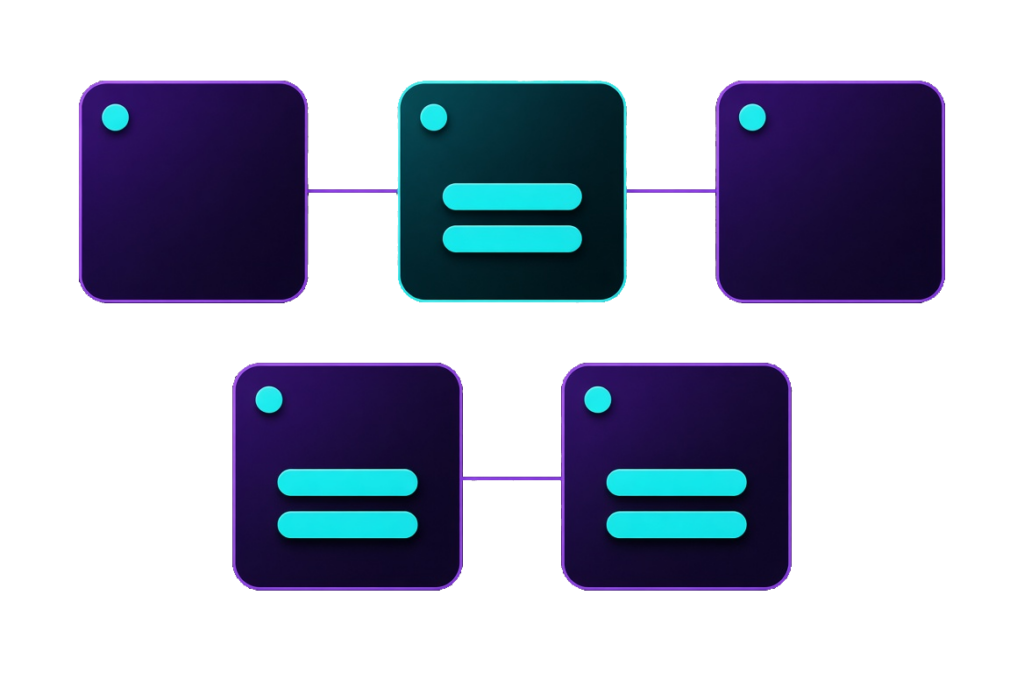
Dual-ported arrays, or local pools with zfs send/receive. Same product either way.
03 · Operation
Full control from the web interface, command line, or API. Move services, free a node for maintenance, and bring it back.
GUI · CLI · REST API
Service relocation and failover
Node maintenance and patching
Cluster status and health
Partner and OEM integration via identical endpoints
Full operational control from any interface
04 · Fencing
PGR3 reservations fence the pool to a single node. Only the node holding the exclusive reservation on the shared disks is allowed to import the pool. All other nodes are prevented from importing it.
Shared-disk reservations
PGR3 exclusive access
Single-node import
Only the reservation holder may import
Disk-level enforcement
Access is blocked before ZFS import
Present clustered Zvols to Proxmox as ZFS over iSCSI. The portal lives on the service VIP, so VMs follow the pool when it moves.


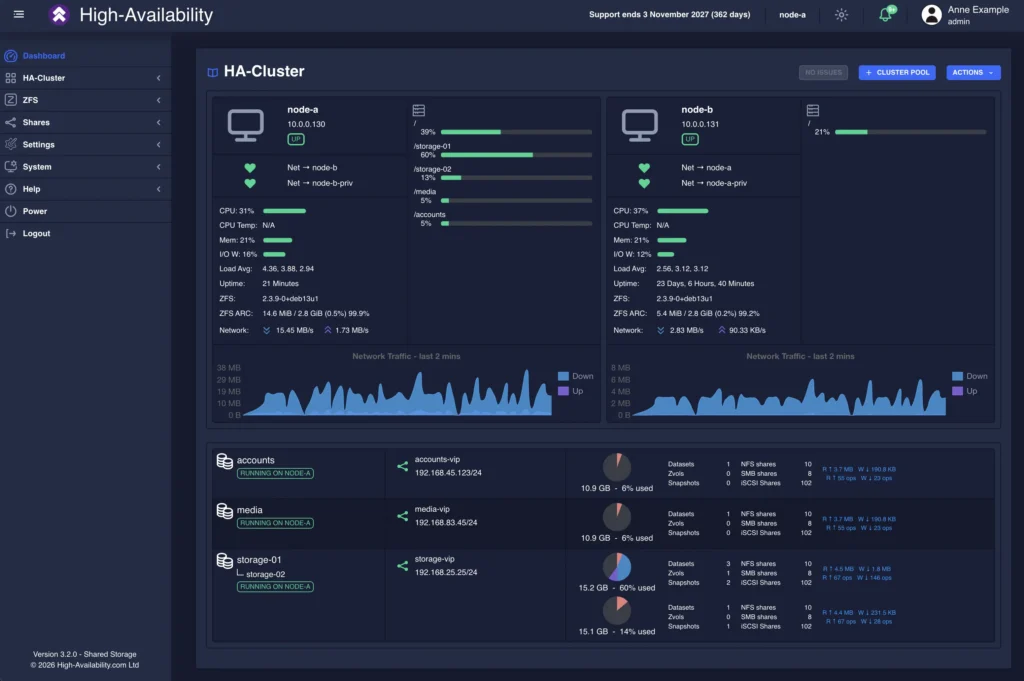
RSF-1 · DASHBOARD
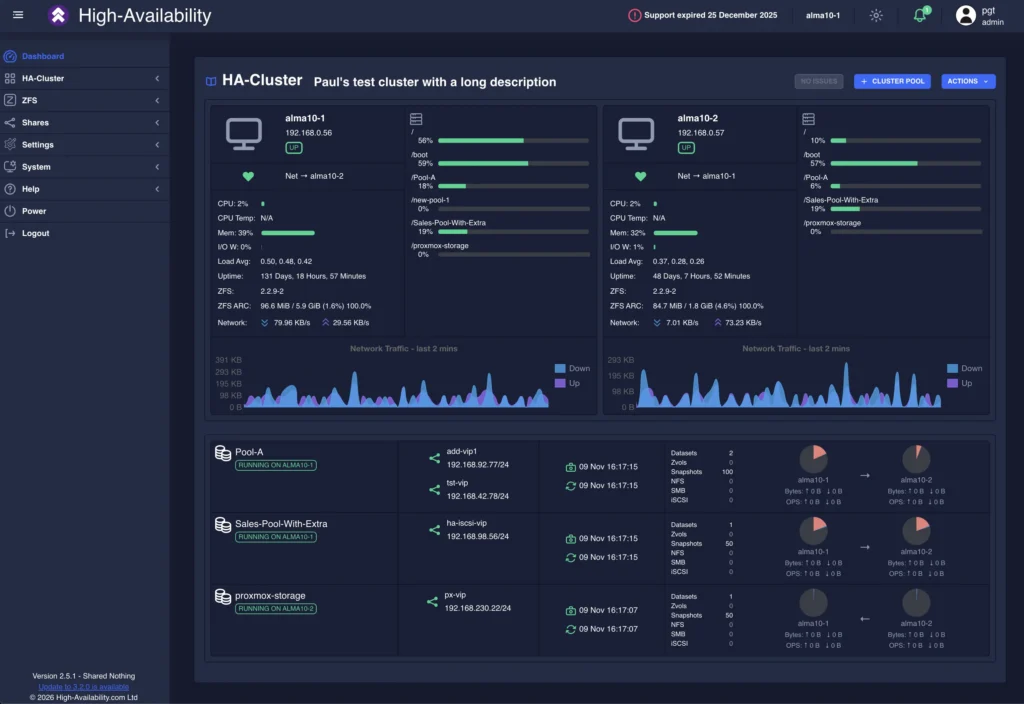
Every pool is a first-class service. From a single interface you can monitor node health and heartbeats, inspect service location and VIPs, and initiate fail-over or switch a service between automatic and manual mode. The same operations are available through the GUI, the CLI, or the REST API that OEMs and integrators embed.
RSF-1 · PROXMOX
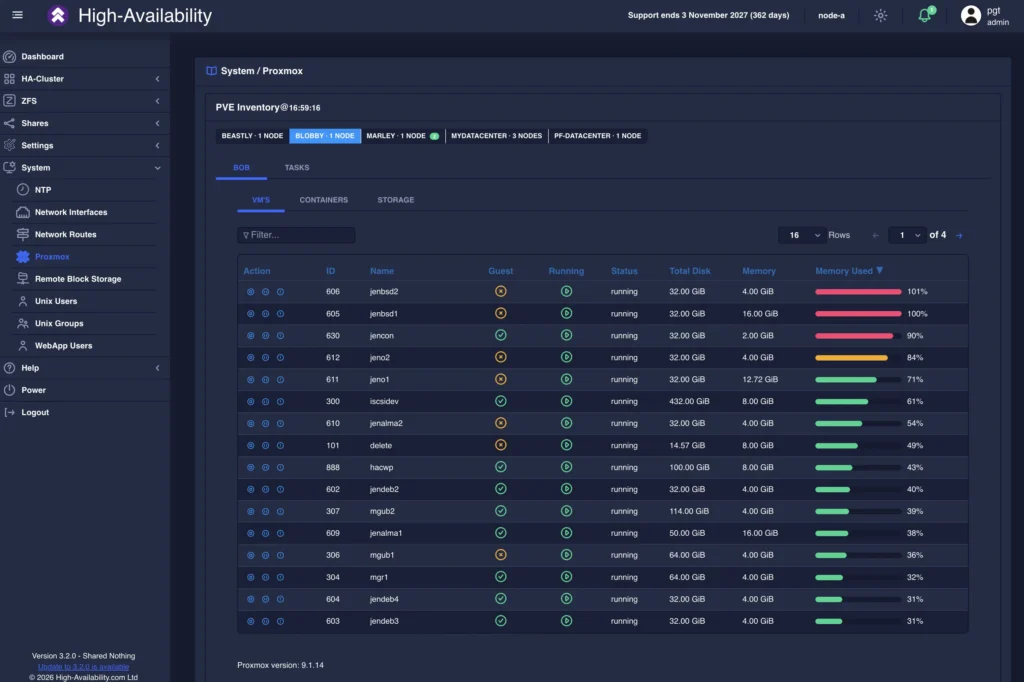
A single page gives operators a unified view across multiple Proxmox datacenters. VMs, containers and storage appear together with live usage, colour-coded memory and capacity charts, and direct actions for start, stop, reboot and (where clustered) move. Task activity is summarised per datacenter, with unseen items surfaced as badges and full status available on demand.
RSF-1 · NETWORKING
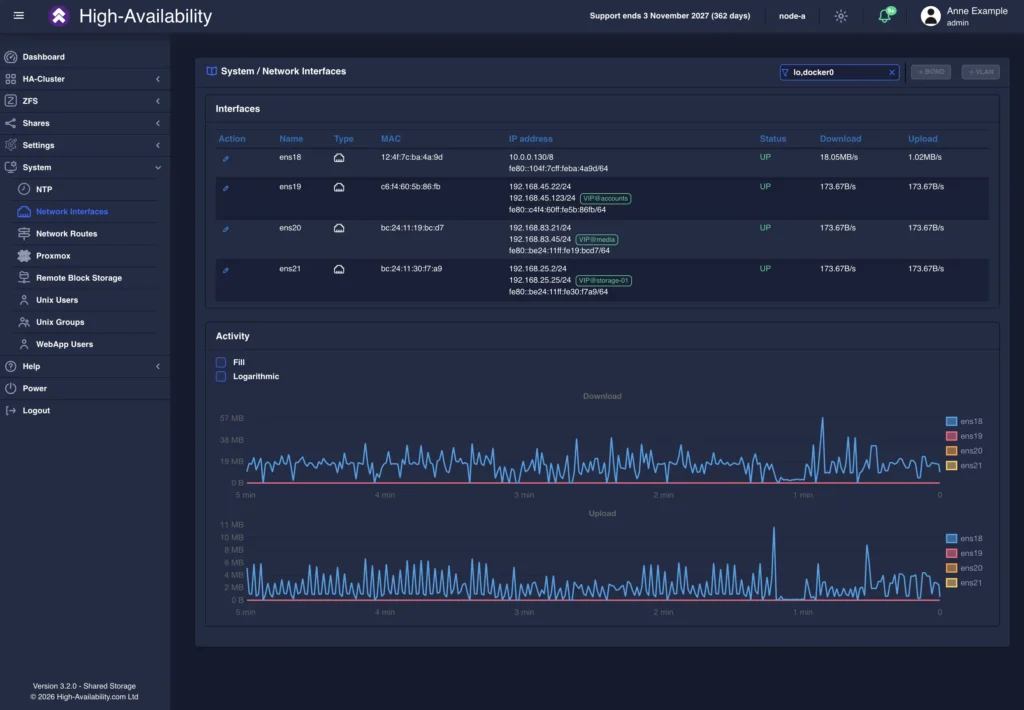
A single view lists every network interface on the system, showing device name, type, IP addresses (including aliases, VIPs and DHCP status), netmask and live up/down traffic. Operators can edit interfaces to add or remove addresses and set MTU, create bond or VLAN interfaces, and review a five-minute upload and download summary chart.
RSF-1 · ZFS
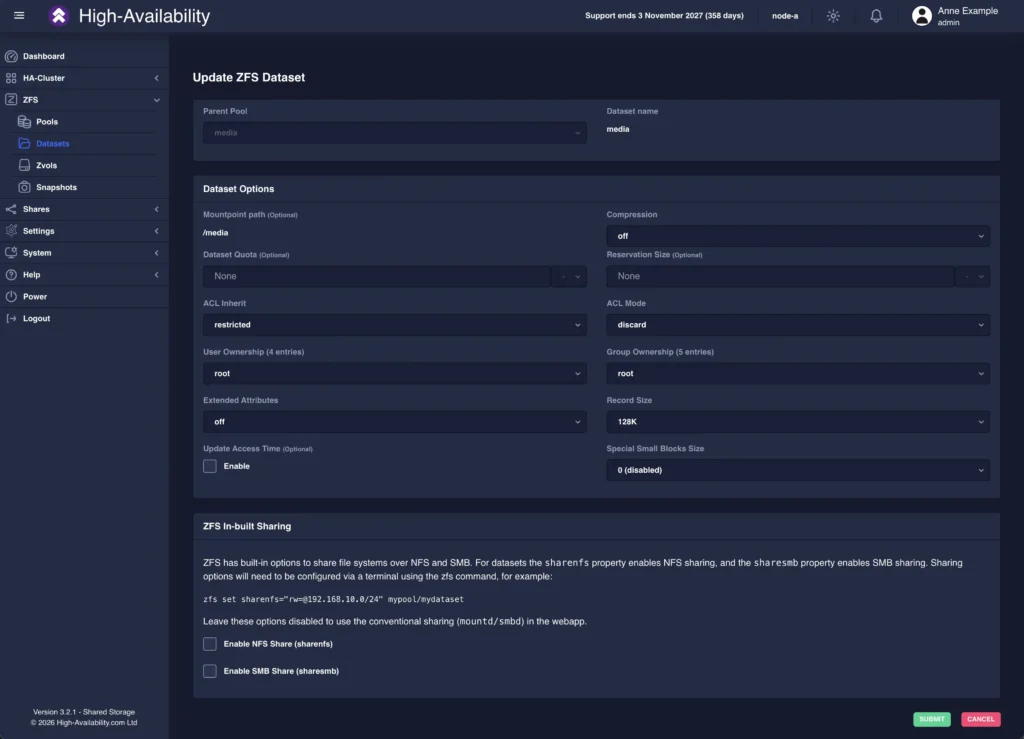
Operators can create pools using raidz, dRAID, mirror or stripe layouts, with multiple data vdevs plus log, cache and special devices. Datasets, zvols and snapshots are created and configured from the same interface, with full attribute control, snapshot management and rollback. Pools can be clustered, while live I/O activity, pool health and status alerts (degraded, resilvering, import/export and more) are reported in real time.
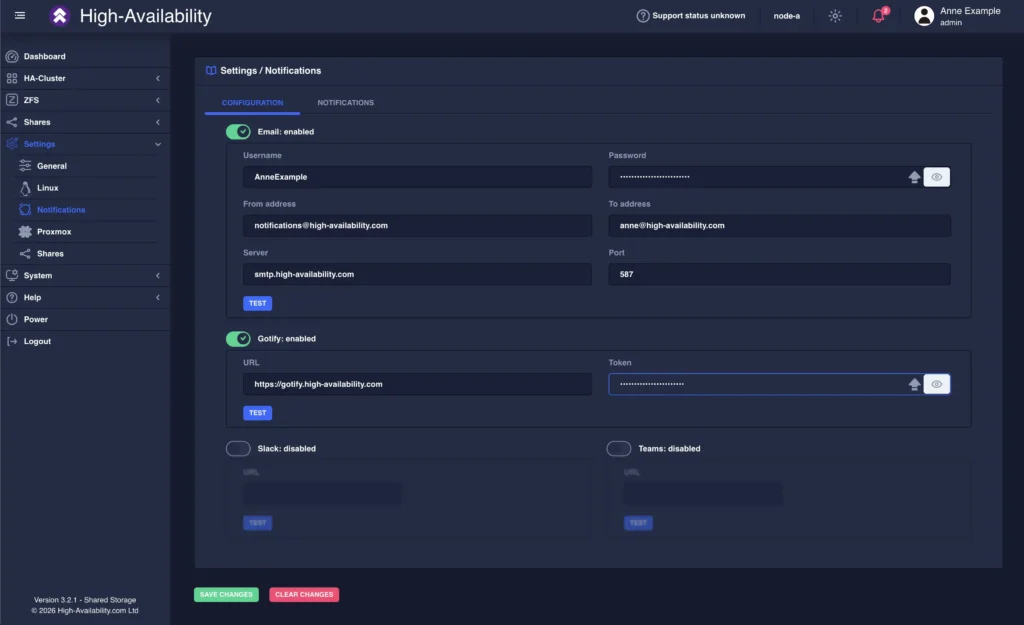
RSF-1 · NOTIFICATIONS
Operators configure endpoints for email, Gotify, Microsoft Teams and Slack, then select which events are delivered. Notifications cover ZFS import and export, resilver start and completion, pool and device state changes, vdev modifications, and history, destroy or snapshot events. Cluster service stop, start, failover and state changes are included, while Proxmox tasks are categorised by success or failure and can be enabled or disabled individually.
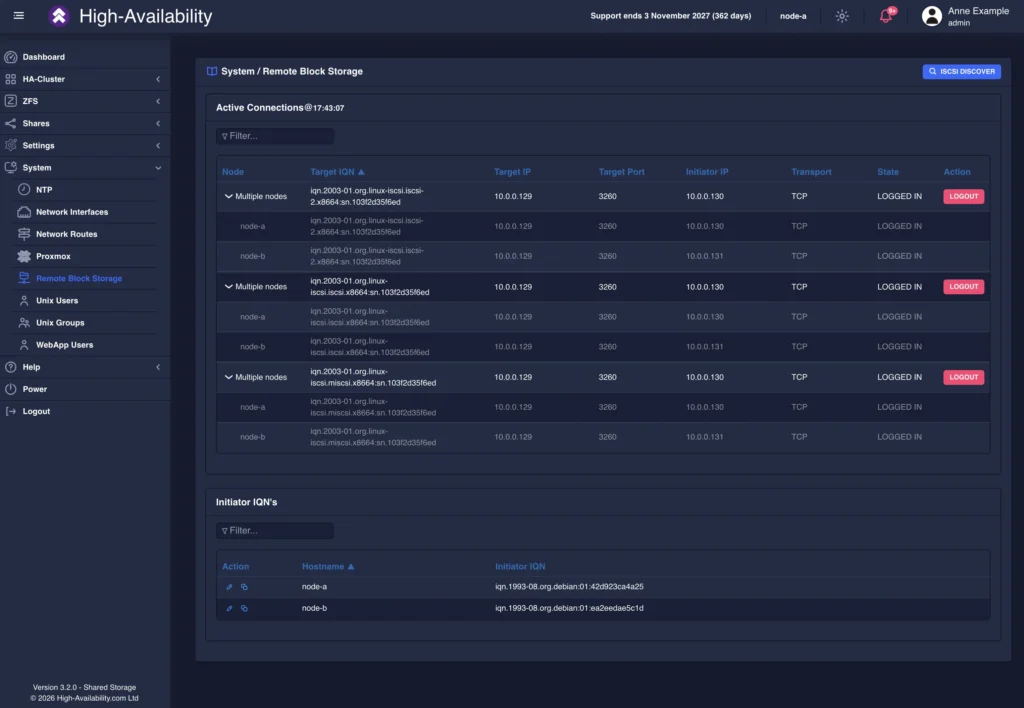
RSF-1 · ISCSI
Operators can discover remote iSCSI targets by IP and port, with discovery performed across every cluster node to confirm visibility for failover. Persistent logins are established with no authentication, one-way CHAP or mutual CHAP. Connected sessions appear in a summary table showing node, IQNs, initiator and target addresses, port, transport and state, with logout available directly. Initiator IQNs for all cluster nodes are listed, and connected LUNs can be used immediately to create and share ZFS pools.